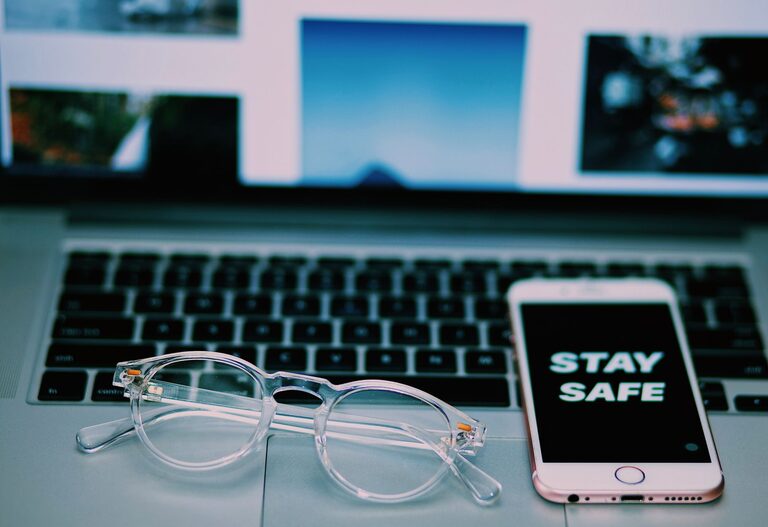
Keeping your phone and keyboard clean is essential for both hygiene and the longevity of your devices. Everyday use exposes these items to dust, dirt, and germs, but cleaning them improperly can cause damage. This guide provides simple, safe, and effective methods to clean your phone and keyboard at home.
Why Cleaning Your Devices Matters
Phones and keyboards are among the most frequently touched objects in daily life. This means they can accumulate oils from your skin, food residues, dust, and even bacteria. Regular cleaning helps improve your device’s appearance, performance, and your overall health by reducing unwanted germs.
What You’ll Need Before You Start
Before diving into cleaning, gather these materials:
– Microfiber cloth (soft and lint-free)
– Isopropyl alcohol (70% or less concentration)
– Distilled water
– Cotton swabs or soft brushes
– Compressed air canister (optional)
– Mild dish soap (optional)
– Small bowl or spray bottle
Avoid harsh chemicals, bleach, or abrasive materials that can damage screens and plastic parts.
—
How to Clean Your Phone Safely
Phones are sensitive electronics, so cleaning them requires extra care.
Step 1: Turn Off and Unplug Your Phone
Before cleaning, power off your phone and disconnect any cables or accessories to avoid short circuits or damage.
Step 2: Remove Phone Case and Accessories
If your phone has a case or screen protector, remove them. Cases can usually be cleaned separately.
Step 3: Prepare Your Cleaning Solution
Mix equal parts of distilled water and isopropyl alcohol in a spray bottle, or use disinfecting wipes designed for electronics.
Step 4: Clean the Phone Surface
– Lightly dampen a microfiber cloth with the cleaning solution (never spray directly on the phone).
– Gently wipe all surfaces, including the screen, back, and edges.
– For small crevices around buttons or ports, use a dry cotton swab or soft brush.
Step 5: Dry and Reassemble
Use a dry microfiber cloth to remove any moisture. Let the phone air dry for a few minutes before inserting the case or powering it back on.
—
How to Clean Your Keyboard Safely
Keyboards come in many types — mechanical, membrane, or laptop styles — but the basic cleaning steps are similar.
Step 1: Turn Off and Disconnect Your Keyboard
Unplug any wired keyboards, or turn off wireless keyboards and remove batteries if possible.
Step 2: Remove Loose Debris
– Turn the keyboard upside down and gently shake it to dislodge dust and crumbs.
– Use compressed air to blow out dirt trapped between keys.
Step 3: Clean the Key Surfaces
– Lightly dampen a microfiber cloth with a 70% isopropyl alcohol solution.
– Wipe the tops and sides of the keys gently.
– For stubborn spots, use cotton swabs dipped in the solution.
Step 4: Deep Cleaning (Optional)
For mechanical keyboards or if you’re comfortable removing keys:
– Use a keycap puller to remove keys carefully.
– Soak the keycaps in warm, soapy water for 15–30 minutes, then rinse and dry thoroughly.
– Clean the keyboard base with a microfiber cloth and alcohol solution.
– Replace the keys once completely dry.
Step 5: Dry Completely Before Reconnecting
Make sure your keyboard is completely dry before plugging it back in or reinstalling batteries.
—
Tips for Maintaining Clean Devices
– Clean your phone and keyboard regularly, ideally once a week.
– Wash your hands before using devices to reduce oils and dirt transfer.
– Consider using screen protectors and keyboard covers for easier cleaning.
– Avoid eating or drinking near your devices to prevent spills and crumbs.
– Store your devices in clean, dust-free environments when not in use.
—
What to Avoid When Cleaning Electronics
– Do not use bleach, window cleaners, or abrasive pads.
– Never spray liquids directly onto devices.
– Avoid excessive moisture, which can harm internal components.
– Do not immerse phones or keyboards in water.
—
Final Thoughts
Regularly cleaning your phone and keyboard can keep them looking good and working well, while also promoting better hygiene. By following these safe cleaning methods and tips, you can protect your electronics and enjoy a cleaner workspace every day. Happy cleaning!
About the Author